7 Best Touch Screen Vending Machines to Buy?
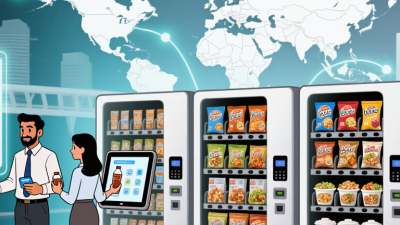
Choosing a vending machine is no longer just about shelf space and coin slots. A modern Touch Screen Vending Machine can display clear product photos, guide customers through purchases, and support cashless payment. But a bright screen alone does not make a machine a good investment. Capacity, reliability, and after-sales service matter just as much.
This guide looks at seven options for different locations and operating needs, from compact offices to busy public spaces. Compare screen size and responsiveness, product capacity, payment methods, restocking access, warranty coverage, and the availability of local technical support. Check the machine’s dimensions against your doorway and installation area before ordering. Ask suppliers how software updates work and what happens if the touchscreen or payment system fails. Small details matter. A glossy display can still hide a weak service plan.
The right choice depends on what you sell and who will use it. A quiet workplace may need simple navigation and modest capacity, while a high-traffic site may benefit from faster checkout and remote inventory monitoring. Be cautious with broad performance claims; request specifications and confirm them with the manufacturer. Prices and features can change, and not every model suits every location. That part is easy to overlook. Use the picks below as a practical starting point, then match each machine to your budget, space, and support needs.
Understanding Touchscreen Vending Machines and Their Main Types
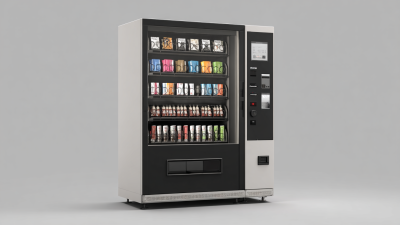
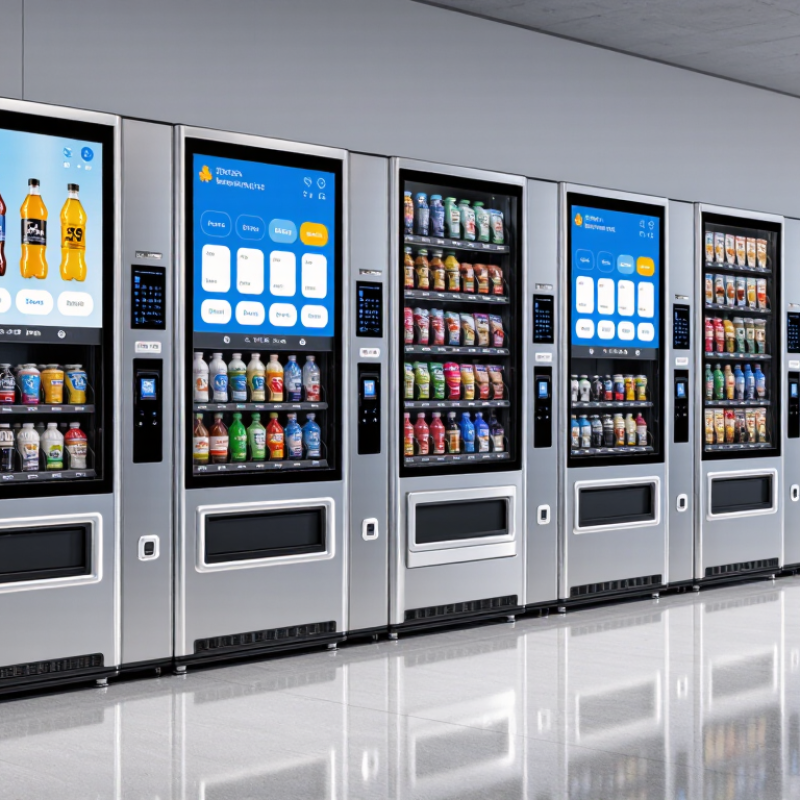
Touchscreen vending machines let customers browse products, review prices, and make selections on a digital display. The screen may show photos, sizes, ingredients, or stock status, depending on the machine’s software. A clear layout matters: customers should be able to find an item without tapping through several menus. Keep it simple.
The machine’s product storage determines its main type. Refrigerated models use chilled compartments for drinks, meals, or other temperature-sensitive items. Ambient machines often use shelves or spirals for packaged snacks and everyday goods. Locker-style models open a specific compartment after payment, which can suit larger or delicate products. Some machines combine storage methods, but the screen alone does not tell you what they can safely dispense.
When comparing models, check screen readability under bright indoor lighting and whether controls respond reliably to quick taps. Test the checkout flow, too: a customer should see the total before confirming payment. Operators may also want remote stock reports and simple menu updates, though these features vary. A touchscreen can look modern and still feel fiddly. Product fit, restocking access, and clear instructions deserve equal attention.
Key Features to Compare Before Choosing a Machine
When comparing touch screen vending machines, start with the actual buying experience. Is the screen bright enough under overhead lights? Can shoppers find an item in a few taps, and does the interface respond reliably to gloved fingers? Ask to test a sample menu, not just view a sales demonstration. Clear product photos, readable text, and simple category buttons matter more than flashy animation. A larger display is not automatically better. One detail is easy to miss: screen height should work for customers with different reach and mobility needs.
Check payment compatibility, product capacity, and temperature control against your location and inventory. A machine selling chilled drinks needs consistent cooling and a clear way to spot temperature faults. Ask how remote monitoring reports low stock, payment errors, or service problems. Useful alerts can reduce unnecessary site visits. Also compare cleaning access, replacement-part availability, warranty coverage, and the quoted service response time. Small differences add up. Request the expected energy use and a full cost breakdown, including installation and ongoing support. It is tempting to choose the lowest purchase price, but that can be a poor shortcut. I would verify these details in writing, then watch a real customer complete a purchase before deciding.
Seven Touchscreen Vending Machines to Consider Buying
Seven Touchscreen Vending Machines to Consider Buying
A touchscreen can make product choices clearer, but the right machine depends on what you sell and where you place it. Consider a refrigerated combo machine for snacks and drinks, a fresh-food unit for chilled meals, or a beverage machine with clear size and ingredient details. A frozen-food machine suits locations with reliable power and enough freezer capacity. A smart-locker setup can handle prepaid pickups, while a compact countertop model fits offices with limited floor space. For exposed sites, consider a weather-resistant machine with a bright, readable screen. That is seven distinct formats to compare.
Grand View Research valued the global vending-machine market at $21.3 billion in 2023 and forecast 10.7% annual growth from 2024 to 2030. This reflects the wider market, not proof that touchscreens alone increase sales. Check the practical details: payment options, screen visibility under bright lights, accessibility, cleaning, and remote stock monitoring. Ask for service response times and parts availability. A sleek interface is not much help when the card reader fails.
Tips: Test the screen with gloves if customers may wear them, and inspect it in the actual lighting. Compare total operating costs, not just the purchase price. One awkward reality: touchscreens can add maintenance, and some customers still prefer physical buttons. Decide which trade-off fits your location.
How the Top Models Compare in Capacity, Payments, and Support
Capacity is more than the number of products a machine can hold. A compact countertop unit suits a small lobby, while a spiral snack machine offers more facings for a busy break room. Combination machines can stock drinks and snacks together, but refrigerated meal units need careful temperature monitoring. Locker-style machines handle larger items, and modular cabinets can expand as demand grows. Bulk dispensers fit simple products, though they offer less variety. Check usable capacity, not just the headline figure.
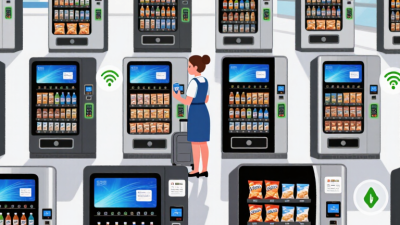
Payment options vary across the seven machine types. Most buyers should look for contactless cards and mobile wallets, with clear prompts on a responsive screen. QR payments can help, but only if the connection is dependable. Test the checkout flow with gloves or under bright light. Small details matter. A slow screen can turn a quick purchase into a queue.
Support can separate a convenient machine from a costly headache. Ask whether remote diagnostics, replacement parts, and technician visits are included, and check service hours against your operating schedule. Refrigerated models need especially clear escalation procedures for temperature faults. Request written warranty terms and a realistic repair-time estimate. I would not choose a model on capacity alone; estimating demand is imperfect, and an oversized machine can leave stock sitting too long.
Factors to Check Before Purchase and Installation
Before buying a touchscreen vending machine, map the site’s real conditions. Count foot traffic at different hours, check whether customers can see the screen from the entrance, and measure the doorway, floor space, and service clearance. A machine that fits on paper may block a corridor or sit in direct afternoon glare. Small details matter.
Confirm power, ventilation, and network access before delivery. Ask the supplier for the machine’s voltage, heat output, internet requirements, and payment-system compatibility. ENERGY STAR reports that certified vending machines can use about 40% less energy than conventional models, making energy performance worth checking alongside screen size. Touchscreens also need testing in the actual lighting; reflections can make a polished interface hard to use. That gets overlooked.
The National Automatic Merchandising Association’s 2024 State of the Industry report estimated U.S. convenience-services revenue at $26.6 billion in 2023. That scale makes uptime and service access practical concerns, not afterthoughts. Check warranty coverage, technician response times, software updates, and who handles payment-device faults. I would also ask how the screen works when connectivity drops. It may not be perfect, but a clear offline plan can prevent a minor network outage from stopping every sale.